
Key Takeaways
Every "NSFW AI video generator" gets lumped into one category, but there are really two different products hiding under that name. Text-to-video starts from nothing but a prompt. Image-to-video starts from a photo — usually a character you already generated — and turns it into motion: a slow pan, a gesture, a few seconds of movement that makes a static render feel alive. Most of the search traffic for "image to video ai" is actually looking for this second thing, and most "video generator" roundups don't separate it out.
This guide covers how NSFW image-to-video actually works, the settings that decide whether the output looks smooth or warped, and which uncensored tools do it well. If you don't have a source image yet, start with our 10 best NSFW AI image generators and come back.
Fastest way to start: OurDream AI — the only tool in this guide built around doing both halves of the job in one place. Create a companion with face swap, then animate her into video without switching platforms. Free tier to test, $9.99/mo after.
Image-to-Video vs Text-to-Video vs Image-to-Image
Three different jobs, and the naming overlaps badly across vendors.
Text-to-video starts from nothing but a written prompt. The model invents the scene, the character and the motion from scratch. Maximum freedom, but you have no control over exactly who is in the frame — every generation is a new roll of the dice.
Image-to-video (img2video) starts from an image you already have. The model treats it as the first frame and generates motion outward from it — a pan, a gesture, a breathing or swaying animation. The character, pose and composition come from your source image; the model is only adding movement. This is what you use once you already like a still render and want it to move.
Image-to-image (img2img) is a different tool entirely — it takes a still image and produces a new still image, changing style, lighting or outfit without adding any motion. Our image-to-image guide covers that half of the workflow.
Most "AI video generator" marketing pages blur text-to-video and image-to-video together because the underlying models often do both. When you're comparing tools, check specifically whether it accepts an image upload as the starting point — that's the feature this guide is about.
The One Rule That Matters
Everything in this guide assumes you are animating AI-generated characters you created, or images you own outright.
Uploading a photo of a real person and generating a video from it is not a grey area — if anything, video makes the legal exposure worse than a still image. In the United States, the TAKE IT DOWN Act makes publishing non-consensual intimate imagery a federal offense, and its definition of a "digital forgery" explicitly covers video, not just photos. Several states also have deepfake-specific statutes on top of that. The FTC began enforcing the Act in 2026 with warning letters to a batch of "nudify" and animation sites. The UK's Online Safety Act and equivalent EU law cover the same ground. Platforms that allow it get delisted, deplatformed and cut off by payment processors — which is exactly why the tools in this guide are built around original AI characters rather than photo uploads of real people.
So: generate a character, then animate that. Every technique below works the same way, and nothing you make can end up ruining someone's life or yours.
How to Get Good NSFW Image-to-Video Results
Five things account for most of the gap between a clip that looks smooth and one that looks like a warped GIF.
Motion strength is the whole game, same as denoise was for editing. Most tools expose a slider for how much movement to add — low values keep the frame nearly static with subtle breathing or swaying, high values push toward full gestures and camera movement. High motion strength is also where faces warp and limbs duplicate, because the model is inventing more frames from less information. Start conservative and push up only if the clip looks too static.
Start from a clean, well-lit source image. Image-to-video inherits every flaw in your source — a blurry render, an awkward crop, or bad lighting all get animated along with everything else. A crisp, well-framed still is the single best predictor of a clean clip.
Frame for the motion you want. A tight headshot gives you almost nothing to animate beyond expression. A three-quarter or full-body shot with visible limbs and background gives the model room to generate a pan, a gesture or a walk without inventing anatomy it can't see. Match your source framing to what you actually want to happen.
Keep clips short. Every tool in this category caps clip length somewhere between 3 and 10 seconds for a reason — quality degrades fast the longer a video model has to sustain consistent motion and identity. Generate several short clips rather than pushing for one long one.
Describe the motion, not the scene. If the tool takes a text prompt alongside the image, describe what should move — "slow pan, gentle sway, subtle breathing" — rather than re-describing what's already visible in the source. The model can see the image; wasted prompt tokens on describing it again leave less guidance for the actual animation.
Which Uncensored Tools Do Image-to-Video
Support for this varies more than for plain image generation — some platforms treat it as a first-class feature, others bolt it on.
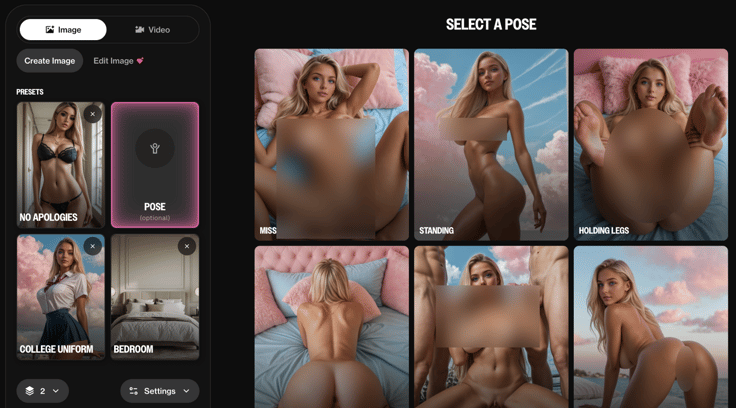
Best overall: OurDream AI — $9.99/mo, free tier available. The only platform here that pairs face swap with both image and video generation natively, so the character you build carries through into the animated clip rather than drifting between steps. Rated 4.6 from 4,031 reviews, the largest review base of any tool in this guide.
Best output quality: Secrets AI — $19.99/mo, currently 50% off, free tier available. The highest-rated platform in our directory at 4.8 from 1,240 reviews, with photorealistic skin, faces and lighting that hold up in motion, not just in a still frame.
Most transparent about the model: GeneratePorn AI — $14.99/mo, 3 free images to start, no card required. One of the only listings here that names its actual video model — WAN 3.0 — alongside KREA V3 ULTRA and Z-Image Spicy Pro for the image side. Worth knowing it's a newer listing with a small review sample so far.
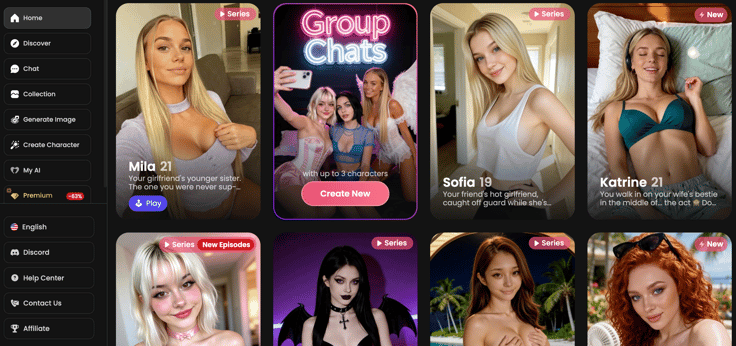
Best value: CandyAI — $3.99/mo (70% off), Apple Pay supported. Generates video of your companion inside an ongoing chat rather than a separate export/upload workflow, at the lowest price in this guide, with the most reviews of any tool here at 5,063.
Try OurDream AI free →
Free NSFW Image-to-Video Options
You don't have to pay to try this, though the free routes trade money for limits and queue time.
Free tiers. OurDream AI, Secrets AI, GeneratePorn AI and Spicier AI all run freemium, so you can generate at least a handful of clips before committing. Video generations are typically more rationed than image generations on every free tier — expect a small clip allowance rather than unlimited use. Our best free NSFW AI image generators guide covers what the free tier gets you on the image side, which is usually where you'll start anyway.
Local and open-source options. Community tools built on open video models exist outside the companion-platform space and can run image-to-video locally with no subscription. They require a capable GPU and real setup time, and quality varies a lot more than with a hosted platform — the tradeoff is the same one that applies to local Stable Diffusion for images.
Keeping a Character Consistent Through Animation
The hardest problem in image-to-video isn't smoothness, it's identity — a face that looks right in the still source can drift or blur once it's moving. A few things help:
For consistency techniques on the still-image side specifically, see our image-to-image guide.
What Goes Wrong
Face warps or morphs partway through the clip. Motion strength is too high for how little the source gives the model to work with. Lower it, or switch to a clearer, more front-facing source image.
The clip looks almost frozen. Motion strength is too low. Push it up gradually — most tools let you preview before committing full render credits.
Limbs or background objects duplicate or smear. Usually a source framing issue — too tight a crop for the amount of motion requested. Frame wider, or request less movement.
Video looks good but only for the first second, then degrades. A known limitation with longer clips on most current models. Generate shorter and stitch, rather than requesting one long render.
Output resembles a different face than the source. Same drift problem covered above — see the consistency section, and consider a platform with persistent/saved characters instead of re-uploading a fresh source each time.
FAQ
What is NSFW image-to-video AI?
Image-to-video takes an existing still image — typically an AI character you already generated — and animates it into a short moving clip, adding motion like a pan, gesture or sway while keeping the character and composition from your source. It's distinct from text-to-video, which generates both the character and the motion from a written prompt with no source image.
Is NSFW image-to-video legal?
Animating an AI-generated character you created, or content you own outright, is generally legal in most places. Animating a real person's photo without consent is not — it's a federal offense under the TAKE IT DOWN Act in the US, which explicitly covers video and "digital forgeries," and equivalent laws exist in the UK and EU.
What's the difference between image-to-video and text-to-video?
Text-to-video generates a scene from scratch based on a written prompt, with no control over exactly who appears. Image-to-video starts from a photo you provide and animates it, so the character and composition are fixed by your source image and the model only adds motion.
What's the best free NSFW image-to-video tool?
GeneratePorn AI gives you free credits with no card required to start, though free tiers on every platform ration video generations more tightly than images. OurDream AI has the most generous free tier overall once you factor in the image-generation step most workflows start with.
How long can the video clips be?
Most platforms in this category cap clips somewhere between 3 and 10 seconds. Quality degrades noticeably the longer a video model has to sustain consistent motion and identity, so shorter clips are consistently the more reliable output.
Can I animate a photo of a real person?
No. That's non-consensual intimate imagery once the output is sexual in nature, it's illegal under the TAKE IT DOWN Act and equivalent UK and EU law, and every reputable tool in this guide is built for original AI-generated characters. Generate a character first, then animate that.
Why does the face warp or change during the video?
Usually motion strength set too high relative to how much detail the source image provides, or a low-quality/angled source with little for the model to hold onto across frames. Lower the motion strength, use a clean front-facing source, and consider a platform with persistent characters such as OurDream AI to remove the problem across sessions.